Referral Link vs. QR Code vs. Typed Code: What Actually Breaks
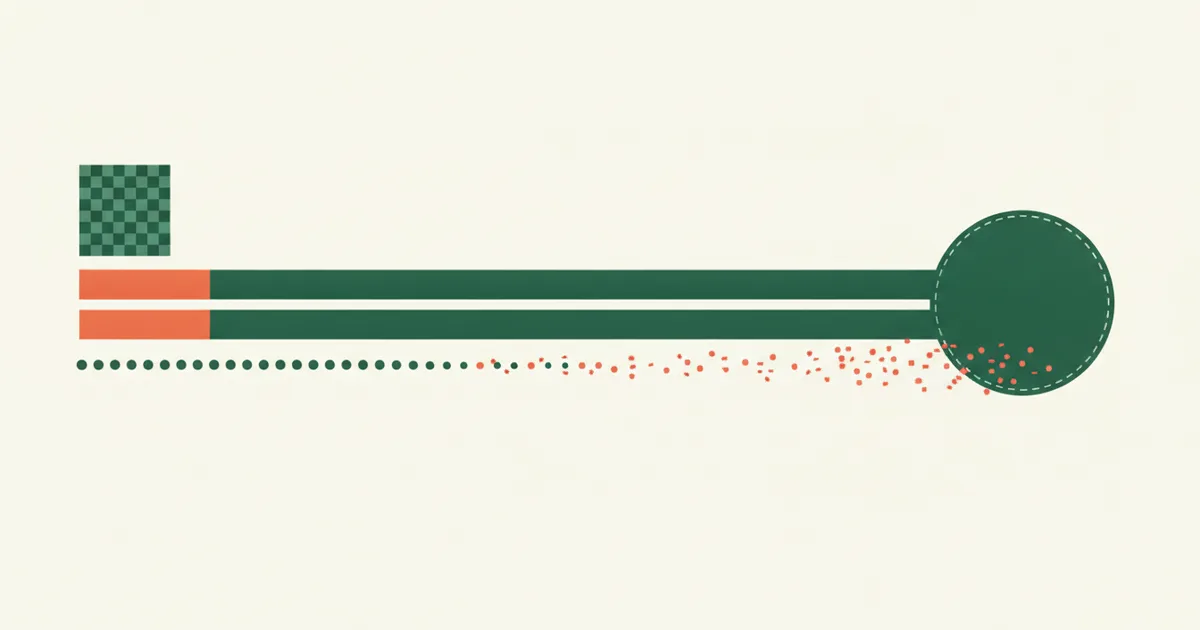
The same referral offer usually shows up to you in three different shapes: a link someone texts you, a QR code printed on a card or shown on a screen, or a short alphanumeric code you’re told to type in at checkout. People treat these as interchangeable — “however you got the code, just use it” — but they aren’t mechanically the same at all. Two of them are, under the hood, the identical thing wearing a different costume. The third works nothing like the other two, and it’s the one most likely to fail without telling you it failed.
A link and a QR code are the same tracking event
A referral link is a normal web address with a tracking parameter tacked onto it — something like ?ref=abc123 — that tells the merchant’s server which account to credit. Clicking it sends your browser to that address and, in the same round trip, lets the server drop a tracking cookie or write a session record tied to that click. We’ve covered how that record works and how long it lasts in how long a referral link keeps counting.
A QR code doesn’t add a second tracking layer on top of that — it’s a container for the exact same URL. The FTC’s own consumer alert on QR code risks describes them plainly as “new and improved barcodes” that hold “a webpage link,” and warns people specifically because scanning one “will automatically open [a] website” the same way clicking a link does (see the FTC’s consumer alert on QR code scams). That’s true of a legitimate referral QR code as much as a malicious one: your phone’s camera decodes the black-and-white pattern back into a plain URL — the same ?ref=abc123 link a friend could have just texted you — and opens it. Your browser then does exactly what it would have done if you’d tapped the link directly: loads the page, fires the click, sets the cookie.
Practically, this means a QR code carries none of the extra risk or extra reliability people assume from it. It isn’t “more secure” than a link, and it isn’t “more likely to work” than a link. It’s a link, printed as a picture instead of typed as text, so someone can point a camera at a poster or a screen instead of tapping a blue underline. Whatever governs a link’s attribution window and last-click behavior governs a QR code’s identically, because by the time your browser has anything to act on, there’s no difference left between them.
A typed code isn’t a link at all
A manually typed referral or promo code is a different mechanism entirely. There’s no URL involved and no automatic cookie set the moment you receive the code. Nothing happens until you get to a specific field on the merchant’s checkout or sign-up page and type the string in yourself. Only then does the merchant’s system check whether what you typed matches an active code on file, and only if it matches does anything get credited.
That difference in mechanism creates a difference in how failure looks. A broken link or a malformed QR code tends to fail loudly: the page doesn’t load, or it loads to an obvious error, or it opens the merchant’s homepage instead of a special offer page — something visibly off that tells you the click didn’t do what you expected. A mistyped code usually fails silently. Checkout forms are built to keep you moving toward the sale, not to interrogate a discount-code field, so a string that doesn’t match an active code typically just gets treated as if the field were empty. The order still goes through. The page doesn’t stop you. There’s frequently no red error text at all — just the absence of a discount line item you might not think to look for, sitting in a receipt you might not scroll back to check.
The ways a typed code goes wrong are almost all invisible at the moment they happen:
- A trailing space or line break pasted in from a text message or group chat, which reads identically to the human eye but doesn’t match the stored string.
- Case sensitivity, when a code uses a capital “I” and a lowercase “l” that render nearly identically in some fonts, or when the field is case-sensitive and a phone’s autocapitalization changed the first letter.
- Autocorrect or predictive text silently swapping a character on a mobile keyboard, especially in codes that look like real words.
- A single-use code that was already redeemed once, by you or by someone else, with the checkout page giving no indication that the reason for the discount not applying is reuse rather than a typo.
None of these produce a screen that says “this code failed” — they produce a purchase that looks completely normal, with the referral or discount simply absent from it.
Why this makes the typed code the fragile one
It would be reasonable to assume the newest or least-familiar delivery method — the QR code — is the one worth being careful with. The opposite is true. A QR code and a link both route through your browser, which is generally good at telling you when something didn’t load right. A typed code routes through a text field with no equivalent feedback mechanism, and the checkout flow around it is specifically designed not to interrupt a sale over an unmatched string. The method that requires the most manual precision from you is also the one that gives you the least confirmation when that precision fails.
What actually protects the reward
A few habits close most of the gap between the three delivery methods:
- Prefer the link or QR code when you have a choice. Both hand the tracking work to your browser instead of your typing accuracy.
- If you must type a code, copy and paste it rather than retyping it from memory or a photo, and paste into the field directly rather than through an app that might auto-format the text.
- Check the confirmation or receipt screen for an actual discount line item before assuming a typed code worked — “the order went through” and “the code applied” are two separate facts, and only one of them is guaranteed just because checkout let you finish.
- If a typed code silently doesn’t apply, don’t assume you mistyped it before checking the basics — a single-use code already spent, an expired promotion, or an excluded item can produce the identical silent non-result as a typo.
The underlying distinction is worth remembering the next time a company hands you the choice: a link and a QR code are the same tracking event in two different packages, and a typed code is a manual string match with no built-in way to tell you it failed. For more on how the three underlying reward types — referral codes, promo codes, and affiliate links — actually pay out once a code or link is correctly applied, see referral codes vs. promo codes vs. affiliate links.